If you’re building modern websites today, knowing the right WordPress tools can save you hours of work, improve performance, and help you deliver professional websites faster.
Whether you’re a beginner or running a web design agency, these are the essential tools every serious WordPress developer should understand and use.
Let’s break them down by category.
⸻
Core WordPress Tools
Every WordPress developer must first master the core ecosystem to build truly professional and dynamic websites. At the foundation is WordPress itself—the world’s most popular CMS, powering over 40% of the internet. While installing themes and plugins is a start, real developers go deeper, learning tools and workflows that make site management faster, more flexible, and highly customizable.
Key tools in the WordPress developer toolkit include Gutenberg, WP-CLI, and Advanced Custom Fields (ACF). Gutenberg is WordPress’s native block editor, enabling modern, flexible site building with a visual interface. WP-CLI is a command-line tool that lets developers manage WordPress installations, plugins, and settings quickly, saving time on repetitive tasks. Advanced Custom Fields (ACF) allows developers to create custom fields and dynamic content, giving full control over how content is structured and displayed. Mastering these tools helps you move beyond basic site building to becoming a skilled WordPress developer capable of creating complex, highly customized websites.
⸻
Page Builders (Speed + Flexibility)
Page builders are tools that allow you to design websites quickly without needing to write extensive code. They provide visual interfaces where you can drag and drop elements like images, text blocks, buttons, and forms, making website creation faster and more accessible. The right page builder matters because it affects your workflow, site performance, flexibility, and how easy it is to maintain or customize a site in the future.
Some of the top options for page builders include Elementor, Bricks Builder, Beaver Builder, and Oxygen. Elementor is the most popular visual builder and is especially great for client projects because it allows designers to quickly create professional-looking websites without sacrificing quality. Bricks Builder is lightweight and developer-friendly, offering fast performance and clean, efficient code that appeals to coders who want more control. Beaver Builder is known for its stability and clean code, making it a reliable choice for long-term projects and teams that value consistency. Oxygen is an advanced builder that gives full control over the site’s design and code, ideal for developers who want to build highly customized websites.
For building client sites, Elementor often stands out because it allows you to launch designs quickly while maintaining professional aesthetics. Its large library of templates, widgets, and integrations makes it easier to handle client revisions, reduce development time, and deliver a polished product without writing custom code for every element. Choosing the right page builder depends on your priorities—speed, flexibility, performance, or complete control—but understanding the strengths of each helps you make the best choice for your projects.⸻
Themes & Frameworks
A fast theme can make a significant difference in website performance, user experience, and overall flexibility. Lightweight, well-coded themes load quickly, reduce server strain, and improve SEO rankings, while also giving developers the freedom to customize designs without unnecessary bloat. Choosing the right theme ensures that your website remains responsive, easy to maintain, and compatible with page builders and plugins.
Some of the top developer-friendly themes include Astra, GeneratePress, Hello Theme, and Underscores. Astra is lightweight, highly customizable, and works well with most page builders, making it a favorite among designers and developers. GeneratePress is known for its fast performance, clean code, and modular approach, allowing developers to enable only the features they need. Hello Theme is specifically built for Elementor, providing a minimal foundation for creating visually rich websites without extra overhead. Underscores is a starter theme designed for developers who want full control over code and customization from the ground up. Astra and GeneratePress are particularly popular because they combine speed, SEO-friendliness, and flexibility, making them reliable choices for both client projects and personal websites.
⸻
E-Commerce Tools
If you’re building online stores, having the right tools is essential for smooth operation, secure payments, and a professional shopping experience. E-commerce plugins and payment processors allow you to manage products, handle transactions, and scale your store efficiently without needing custom code. Choosing reliable tools ensures your store runs fast, processes payments securely, and provides a seamless experience for customers.
Some of the top options include WooCommerce, Stripe, WooPayments, and Dokan. WooCommerce is the #1 WordPress e-commerce platform, offering robust features for managing products, inventory, shipping, and taxes. Stripe provides global payment processing, supporting multiple currencies and secure transactions, making it ideal for international stores. WooPayments is a built-in WooCommerce payment solution that simplifies transactions and integrates directly with your store. Dokan allows you to create multi-vendor marketplaces, enabling multiple sellers to manage their own products and sales. Among these, WooCommerce paired with Stripe is the most common combination for professional online stores worldwide, offering reliability, flexibility, and a seamless shopping experience for both store owners and customers.
⸻
Performance & Speed Optimization
Website speed directly impacts SEO, user experience, and conversion rates, making performance optimization a critical task for every developer. Faster websites rank better on search engines, reduce bounce rates, and keep visitors engaged, while slow-loading sites can frustrate users and harm business results. Optimizing performance involves caching, content delivery, image compression, and server-level enhancements.
Some of the top tools for improving website speed include WP Rocket, LiteSpeed, Cloudflare, and NitroPack. WP Rocket is a premium caching plugin that simplifies optimization and includes features like page caching, lazy loading, and database cleanup. LiteSpeed provides powerful server-level caching, improving response times for high-traffic sites. Cloudflare is a content delivery network (CDN) that also offers security and performance improvements by distributing content globally. NitroPack is an all-in-one tool that handles caching, image optimization, and other speed enhancements automatically. Combining Cloudflare with a caching plugin like WP Rocket or LiteSpeed can drastically improve loading speeds, ensuring your website performs well for both users and search engines.
⸻
SEO & Optimization Tools
A beautiful website is worthless if it can’t be found by users, which is why SEO is essential for every developer. Search engine optimization improves visibility, drives organic traffic, and ensures your content reaches the right audience. Effective SEO involves optimizing page structure, keywords, metadata, and performance while tracking results to continuously improve rankings.
Some must-have SEO tools include Yoast SEO, Rank Math, AIOSEO, and Google Search Console. Yoast SEO is beginner-friendly, making it easy to optimize pages and posts with clear guidance. Rank Math is a powerful, feature-rich plugin that offers advanced automation, keyword tracking, and SEO insights, making it increasingly popular among developers. AIOSEO is another solid alternative with robust tools for on-page and technical SEO. Google Search Console helps monitor search performance, identify issues, and track rankings over time. Among these, Rank Math is quickly becoming a favorite because it combines advanced functionality with ease of use, helping developers optimize sites efficiently.
⸻
Security Tools
Security is not optional—just one hacked website can destroy client trust and harm your reputation as a developer. Protecting a site involves safeguarding against malware, brute-force attacks, unauthorized logins, and other vulnerabilities. Implementing robust security measures ensures that client data, content, and functionality remain safe while maintaining user confidence.
Some of the top WordPress security tools include Wordfence, Sucuri, iThemes Security, and WP Cerber. Wordfence offers a powerful firewall and malware scanning to detect and block threats. Sucuri provides comprehensive website security, monitoring, and malware cleanup services. iThemes Security focuses on login and admin protection, preventing unauthorized access. WP Cerber adds advanced login security and threat detection for high-risk sites. Every client site should have at least one security plugin installed, ensuring strong protection against attacks and maintaining the integrity of the website.
⸻
Final Thoughts
A great WordPress developer is not just someone who installs themes and plugins.
It’s someone who understands: • Speed optimization • SEO structure • Security • Scalable design tools
Mastering these tools will help you build faster, safer, and more professional websites — whether you’re freelancing, running an agency, or building your own online business.
Focus on tools that save time, improve performance, and scale with your projects. That’s what separates average developers from professionals.
Technology keeps evolving, but one thing remains constant — programming languages are the backbone of the digital world. Whether you’re building websites, developing applications, or training intelligent machines, choosing the right language matters.
In this article, we’ll explore the most commonly used languages in web development, software development, and machine learning, and understand why each one is important.
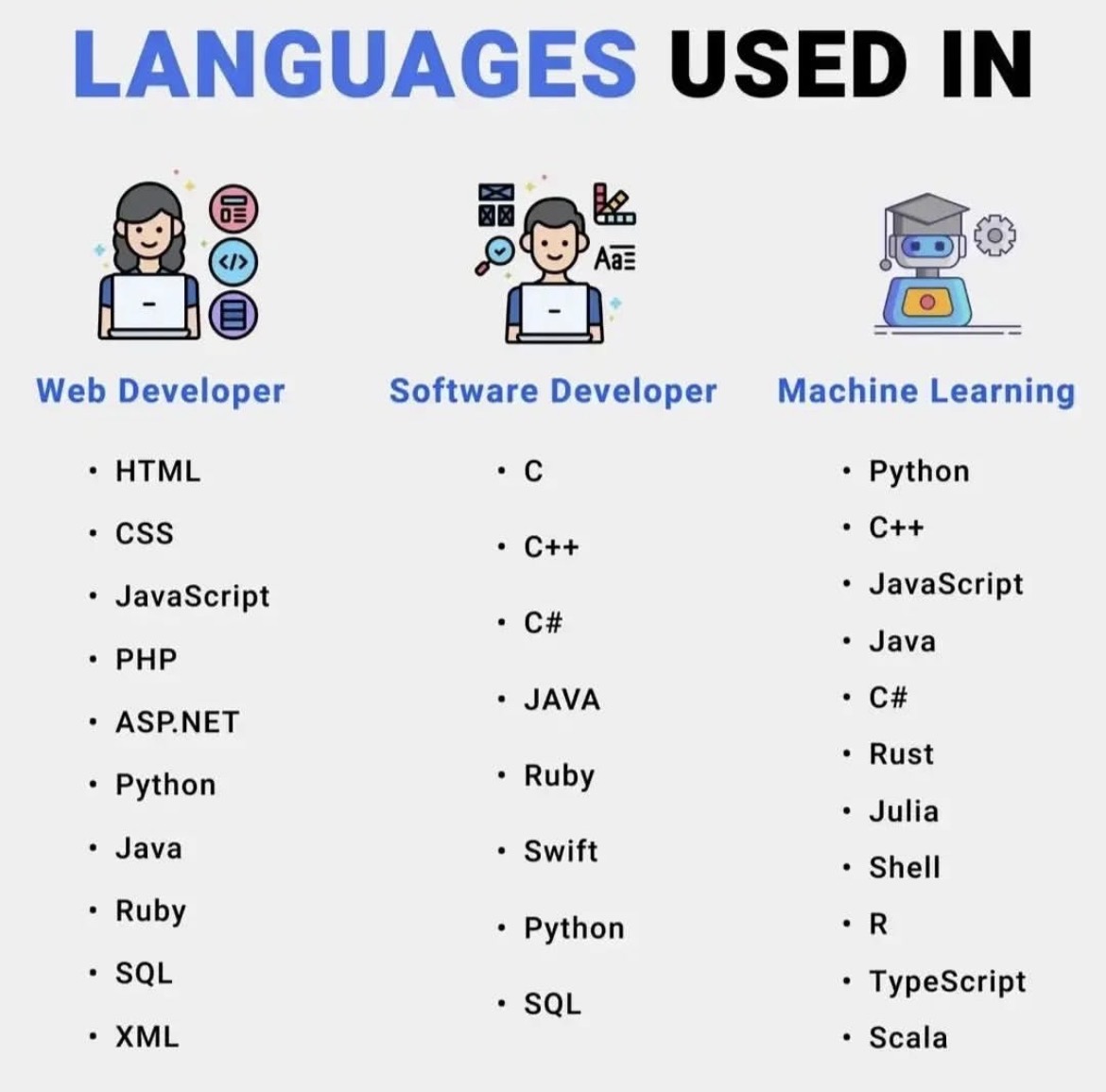
🌐 Languages Used in Web Development
Web development focuses on building websites and web applications that run in browsers and on servers. A typical web developer works with both front-end (what users see) and back-end (server-side logic).
Key Languages for Web Developers
HTML
HTML (HyperText Markup Language) forms the structure of every website. It defines elements like headings, paragraphs, images, links, lists, and other content, giving a page its basic layout. Without HTML, there would be no organized content for users to read or for browsers to display properly. Think of HTML as the skeleton of a webpage, providing the framework that supports all other elements, including styling and interactivity.
In practice, HTML works together with CSS and JavaScript to create fully functional websites. While HTML lays out the content, CSS controls the visual design, and JavaScript adds dynamic behavior. For example, a form uses HTML to define input fields and buttons, CSS to style them, and JavaScript to validate user input or trigger actions. Proper HTML structure also helps search engines understand and index the content, making it essential for SEO and overall website accessibility.
CSS
CSS (Cascading Style Sheets) controls the design and layout of a website. It determines colors, fonts, spacing, positioning, and responsiveness, shaping how the content defined by HTML appears on different devices. If HTML is the skeleton of a webpage, CSS is the style and fashion, giving the site its visual identity and making it appealing and readable for users.
In real-world web development, CSS works alongside HTML and JavaScript to create fully functional, attractive websites. It allows developers to adjust layouts for desktops, tablets, and mobile devices, apply animations, and maintain consistent branding across pages. Proper use of CSS not only improves user experience but also supports accessibility and performance, making websites easier to navigate and more engaging for visitors.
JavaScript
JavaScript makes websites interactive by allowing elements on a page to respond to user actions. It powers features like clickable buttons, animations, form validation, and real-time updates, bringing life to the content defined by HTML and styled with CSS. Without JavaScript, most websites would feel static, with limited functionality and no dynamic behavior.
In practical use, JavaScript works closely with HTML and CSS to create modern, engaging web experiences. For example, it can check a form for errors before submission, update content without reloading the page, or trigger animations when a user scrolls. By enabling these interactive features, JavaScript enhances user experience, keeps visitors engaged, and allows developers to build more responsive and functional websites.JavaScript makes websites interactive. It allows features like: • Buttons that respond to clicks • Animations • Form validation • Real-time updates
Without JavaScript, most websites would feel static and boring.
PHP
PHP is widely used for server-side web development, handling tasks that run on the server rather than in the user’s browser. It can process form submissions, manage databases, handle user authentication, and generate dynamic content that changes based on user actions. Many popular platforms, including WordPress, rely heavily on PHP to manage data, users, and website functionality behind the scenes.
In real-world applications, PHP works with HTML, CSS, and JavaScript to deliver complete websites. While HTML structures the content, CSS styles it, and JavaScript adds interactivity, PHP ensures that the content is dynamic and personalized, such as displaying a user’s profile, fetching posts from a database, or sending emails. Its ability to integrate with databases like MySQL makes PHP essential for building content management systems, e-commerce sites, and other data-driven websites.
ASP.NET
ASP.NET is a Microsoft framework used for building powerful web applications and enterprise-level websites. It allows developers to create dynamic, scalable, and secure applications that can handle complex business logic and large amounts of data. ASP.NET is especially common in corporate environments and large systems where reliability, performance, and integration with other Microsoft technologies are important.
In practice, ASP.NET works with languages like C# or VB.NET to generate server-side content that interacts with databases, handles user input, and manages application workflows. Combined with HTML, CSS, and JavaScript on the front end, it enables developers to build fully functional websites and web applications that are responsive, secure, and capable of supporting large numbers of users and transactions efficiently.
Python
Python is becoming increasingly popular in web development due to frameworks like Django and Flask, which make building robust web applications faster and more efficient. Its simple, readable syntax and powerful libraries allow developers to handle backend tasks such as database management, user authentication, and server-side logic with ease. Python’s versatility also makes it suitable for integrating APIs, data processing, and other advanced functionality.
In real-world web development, Python works on the server side to generate dynamic content, process user requests, and communicate with databases. When combined with HTML, CSS, and JavaScript on the front end, Python frameworks enable developers to build full-featured websites and applications that are scalable, maintainable, and secure. Its growing popularity is fueled by the balance it strikes between simplicity and power, making it a favorite among both beginners and experienced developers.
Java
Java is widely used in enterprise-level web systems and large-scale applications that demand stability, security, and high performance. Its strong type system, robust libraries, and platform independence make it ideal for building complex backend systems, handling large volumes of data, and supporting critical business operations. Many banks, corporations, and large organizations rely on Java for their web infrastructure because of its reliability and scalability.
In practical web development, Java works on the server side to process requests, manage databases, and generate dynamic content for users. Frameworks like Spring and Java EE allow developers to create secure, modular, and maintainable applications, which integrate seamlessly with front-end technologies like HTML, CSS, and JavaScript. By combining these tools, Java enables the creation of enterprise-grade websites and applications that can handle heavy traffic while maintaining consistent performance and security.
Ruby
Ruby, especially when used with the Ruby on Rails framework, allows developers to build web applications quickly and efficiently. Its elegant, readable syntax encourages clean code and rapid development, making it easier to maintain and scale projects over time. Ruby on Rails provides built-in tools for common tasks like database management, routing, and user authentication, which speeds up development and reduces repetitive work.
In real-world web development, Ruby on Rails powers dynamic websites and applications by handling backend logic, database interactions, and server-side processing. When combined with HTML, CSS, and JavaScript on the front end, it enables developers to create full-featured, interactive web apps with minimal boilerplate code. Its focus on convention over configuration and developer productivity makes Ruby a popular choice for startups and projects that need to launch quickly without sacrificing maintainability.
SQL
SQL (Structured Query Language) is used to manage databases, allowing websites and applications to store, organize, and retrieve information efficiently. It handles data such as user accounts, products, transactions, and other critical content, making it essential for dynamic websites that rely on constantly changing information. SQL ensures that data can be accessed, updated, and managed securely and accurately.
In real-world web development, SQL works on the backend alongside server-side languages like PHP, Python, or Java to interact with databases. For example, when a user logs in, SQL queries fetch their account details; when a product is added to a shopping cart, SQL updates the inventory. By providing structured, reliable access to data, SQL enables websites and applications to function smoothly, handle large volumes of information, and deliver personalized experiences to users.
XML
XML (eXtensible Markup Language) is used for storing and transporting structured data between systems and web services. It provides a standardized format that is both human-readable and machine-readable, making it ideal for exchanging information across different platforms, applications, and devices. XML allows developers to define custom tags and organize data hierarchically, ensuring that complex information can be transmitted and understood consistently.
In real-world web development, XML is often used in APIs, configuration files, and data feeds to transfer information such as product catalogs, user settings, or transactional data. While modern alternatives like JSON are increasingly popular, XML remains important in enterprise systems and legacy applications where structured, platform-independent data exchange is required. Its ability to maintain clear data structure and compatibility makes it a reliable tool for integrating disparate systems and services.
⸻
💻 Languages Used in Software Development
Software development involves creating desktop apps, mobile apps, and system-level software.
Core Software Development Languages
C
C is one of the oldest and most influential programming languages, first developed in the early 1970s. Despite its age, it remains extremely powerful because it allows developers to work very close to the hardware while still providing structured programming features. Its efficiency, speed, and control over system resources make it a foundation for many modern languages like C++, Java, and even Python in some low-level modules.
In real-world applications, C is widely used for system programming, including operating systems like Linux and Windows, where it manages core functions such as memory allocation, process scheduling, and device communication. It is also a favorite for embedded systems, powering devices like routers, smart home appliances, medical instruments, and even automotive control systems. Because of its reliability and performance, C continues to be a critical language in industries where efficiency and precision are essential.
C++
C++ builds on the C programming language and extends it by adding object-oriented features such as classes, inheritance, and polymorphism, which allow developers to write more structured and reusable code. At the same time, C++ still gives low-level control over memory and system resources, making it both powerful and efficient. This combination of high-level design and low-level performance is what makes C++ one of the most versatile programming languages in the world.
In real-world applications, C++ is widely used in game development, high-performance software, and system-level programming. Popular game engines like Unreal Engine are written in C++, and many AAA games rely on it for graphics, physics, and real-time performance. C++ is also used to build operating systems, web browsers, databases, and financial trading systems where speed and resource efficiency are critical. For example, parts of Windows, Linux, Google Chrome, and even Python itself are implemented using C++.
C#
C# is a programming language developed by Microsoft and is mainly used for building applications within the Windows ecosystem and beyond. It is commonly used to create Windows desktop applications, web applications using the .NET framework, and large enterprise systems that require strong performance, security, and scalability. Because C# integrates deeply with Microsoft technologies, it is a popular choice for companies that rely on Windows servers and cloud services like Azure.
In real-world use, C# is also one of the leading languages for game development through the Unity game engine, which is used to build popular games for PC, mobile, consoles, and even virtual reality. Many business applications, such as accounting systems, hospital management software, and corporate tools, are built with C# because it offers a good balance between ease of development and powerful features for handling complex logic and large user bases.
Java
Java is known for its reliability and strong cross-platform compatibility, which means code written in Java can run on different operating systems without major changes. This is possible because Java runs on the Java Virtual Machine (JVM), allowing developers to follow the principle of “write once, run anywhere.” As a result, Java is widely used in large-scale systems where stability, performance, and long-term support are critical.
In real-world applications, Java powers Android apps, enterprise software, and many global banking and financial systems. Most Android applications are built using Java or Java-based technologies, while companies use Java to develop backend services, payment platforms, and cloud-based systems. Major organizations like banks, airlines, and e-commerce platforms rely on Java to process millions of transactions daily, handle secure user data, and ensure their systems remain reliable under heavy traffic.
Ruby
Ruby is appreciated for its simplicity and developer-friendly syntax, which makes it easy to learn and enjoyable to work with, especially for beginners and small development teams. The language was designed to focus on developer productivity, so many complex tasks can be written in fewer lines of code compared to other languages. This is one of the reasons many startups choose Ruby, as it allows them to build and update applications quickly without sacrificing code readability or maintainability.
In real-world backend development, Ruby is most commonly used with the Ruby on Rails framework. Popular platforms like GitHub and Shopify use Ruby on Rails to handle core features such as user accounts, authentication, product management, payments, and APIs. On the frontend side, Ruby helps generate dynamic web pages by rendering HTML on the server before sending it to the browser, making it possible to build full-stack applications where Ruby manages both the business logic and the user interface flow.
Swift
Swift is a modern programming language developed by Apple and officially introduced in 2014 as a replacement for Objective-C. It is primarily used for building applications across Apple’s ecosystem, including iPhones, iPads, Macs, Apple Watch, and Apple TV. One of Swift’s biggest advantages is that it is designed to be fast, safe, and easy to read, making it a popular choice for both beginners and professional developers.
To develop apps using Swift, you need a Mac computer because Apple’s official development environment, Xcode, only runs on macOS. Xcode is an integrated development environment (IDE) provided by Apple that includes everything needed to build apps, such as a code editor, interface builder, simulator for testing apps on virtual devices, and powerful debugging tools. Swift also supports modern features like automatic memory management, strong type safety, and real-time error checking, which help developers catch mistakes early and write more reliable software.
An interesting fact many people don’t know is that Swift is open-source, meaning developers can use it outside Apple platforms too, such as for building server-side applications with frameworks like Vapor. However, its strongest and most common use is still native Apple app development, where it offers the best performance and full access to Apple’s latest APIs and features
Python
Python is also widely used in software development, especially for automation, internal tools, and desktop applications. Because of its simple and readable syntax, Python allows developers to write programs quickly, which makes it ideal for automating repetitive tasks such as file management, data processing, system monitoring, and testing workflows.
In addition, Python is often used to build desktop applications using frameworks like Tkinter, PyQt, and Kivy, which make it possible to create graphical user interfaces (GUIs) for Windows, macOS, and Linux. Many popular software tools and platforms rely on Python behind the scenes, including parts of YouTube, Instagram, Dropbox, and Spotify. Another lesser-known fact is that Python is frequently used as a “glue language,” meaning it connects different systems, APIs, and services together, helping companies integrate software faster without rewriting everything from scratch.
SQL
SQL also (Structured Query Language) is essential for handling data storage in software applications because it is the standard language used to communicate with relational databases. It allows developers to create, read, update, and delete data, which are the core operations behind almost every digital system, from simple websites to large enterprise platforms. Without SQL, applications would not be able to store user accounts, process transactions, manage content, or retrieve information efficiently.
In the backend of most systems, SQL works behind the scenes as the main way the application interacts with its database. For example, when a user logs into a website, the backend sends an SQL query to check the username and password stored in the database. When someone places an order on an e-commerce site, SQL is used to save the order details, update stock levels, and generate invoices. Backend technologies like Node.js, PHP, Python (Django, Flask), Java (Spring), and .NET all rely on SQL queries to fetch and manipulate data.
A lesser-known but important fact is that SQL also plays a major role in performance and security. Well-written SQL queries can make applications much faster by reducing load times and server costs, while poorly written queries can slow down entire systems. SQL is also used to define user permissions, meaning it controls who can access, modify, or delete sensitive data, which is critical for systems like banking apps, hospital records, and government platforms. In short, SQL is the backbone of backend data management in almost all modern software systems.
⸻
🤖 Languages Used in Machine Learning
Machine learning focuses on building intelligent systems that can learn from data and make decisions.
Popular Machine Learning Languages
Python
Python dominates machine learning because of its simplicity, readability, and powerful libraries like TensorFlow, PyTorch, and scikit-learn. These tools make it easy to build, train, and deploy machine learning and AI models, from image recognition to natural language processing. Its large community and extensive documentation also help developers solve problems quickly and efficiently.
In real-world applications, Python is used across industries for predictive analytics, recommendation systems, autonomous vehicles, and AI-powered chatbots. It handles data processing, model training, and integration with web and mobile applications, making it the go-to language for both research and production in artificial intelligence and machine learning.
C++
C++ is used in machine learning and AI when performance and speed are critical, particularly in production environments that require low-latency computations. Its efficiency and control over memory management make it ideal for implementing resource-intensive algorithms, optimizing model inference, and powering high-performance applications like computer vision, robotics, and real-time simulations.
In real-world AI systems, C++ is often used to build the core components of frameworks like TensorFlow or PyTorch, or in scenarios where models need to run on devices with limited resources, such as embedded systems or autonomous vehicles. By combining speed with precision, C++ ensures that machine learning applications can process large datasets and perform complex calculations quickly and reliably.
JavaScript
JavaScript enables machine learning models to run directly in the browser using libraries like TensorFlow.js. This allows developers to build interactive AI applications that don’t require server-side processing, making it possible to perform tasks like image recognition, natural language processing, or predictive analytics entirely on the client side.
In real-world use, JavaScript-based machine learning is applied to web apps, browser games, and interactive dashboards where real-time inference is needed without sending data to a server. This approach improves privacy, reduces server load, and allows users to experience AI features instantly, all while leveraging the accessibility and ubiquity of the web.
Java
Java is widely used in machine learning and AI for building enterprise-grade applications where stability, scalability, and performance are crucial. Its strong type system, portability, and mature ecosystem make it ideal for deploying machine learning models in production environments, especially when handling large volumes of data or integrating with existing corporate systems.
In real-world applications, Java is used to create backend services that run machine learning models, process big data with frameworks like Apache Spark, and support real-time analytics or recommendation engines. Its ability to deliver reliable, high-performance solutions makes it a preferred choice for large-scale AI systems in finance, e-commerce, and other enterprise sectors.
C#
C# is a modern, versatile programming language developed by Microsoft as part of its .NET ecosystem. It combines the power of object-oriented programming with an easy-to-read syntax, making it ideal for building a wide range of applications. C# is especially strong for Windows-based development, allowing developers to create desktop applications, web services, and cloud-based solutions that integrate seamlessly with Microsoft tools and platforms. Its robust type system and built-in memory management also make it reliable for large-scale projects.
In real-world applications, C# is widely used for Windows desktop software, enterprise systems, and web applications built on ASP.NET. It’s also one of the leading languages for game development using the Unity engine, powering popular games on PC, mobile, and consoles. Beyond games, C# is used in industries like finance, healthcare, and logistics to build scalable, secure systems that handle complex business logic and large volumes of data efficiently.
Rust
Rust is gaining popularity in machine learning for building high-performance and memory-safe systems. Its strong emphasis on safety and concurrency ensures that applications run efficiently without common issues like memory leaks or race conditions, making it ideal for resource-intensive AI workloads.
In practice, Rust is used for developing machine learning libraries, real-time data processing systems, and performance-critical components of AI applications. Its combination of speed, safety, and modern tooling allows developers to create reliable machine learning solutions that can handle large datasets and complex computations while minimizing runtime errors and improving overall system stability.
Julia
Julia is designed for scientific computing and high-speed numerical analysis, making it well-suited for machine learning and data-intensive applications. Its syntax is simple and expressive, while its performance approaches that of low-level languages like C, allowing developers to run complex computations efficiently.
In real-world machine learning, Julia is used for tasks like numerical simulations, algorithm development, and large-scale data analysis. Its ability to handle high-performance calculations and work seamlessly with mathematical and statistical libraries makes it popular in research, finance, engineering, and AI projects that require fast, accurate computation.
Shell
Shell scripting is used to automate machine learning workflows and manage data pipelines efficiently. By writing scripts for tasks like data preprocessing, model training, deployment, and system maintenance, developers can save time, reduce errors, and ensure processes run consistently.
In practical applications, shell scripts are often used to schedule training jobs, move or clean datasets, trigger model evaluations, and deploy models to servers or cloud environments. Automation through shell scripting ensures that machine learning pipelines are reliable, repeatable, and easier to maintain, especially when handling large datasets or complex workflows.
R
R is widely used in machine learning for statistics, data analysis, and visualization. Its rich set of packages and built-in functions make it easy to explore data, perform statistical modeling, and create detailed visualizations to understand patterns and trends. This makes R especially valuable for research, academic projects, and data-driven decision-making.
In real-world applications, R is used to analyze datasets, build predictive models, and generate charts or dashboards that help interpret machine learning results. Its focus on statistical accuracy and visualization makes it a popular choice in healthcare, finance, social sciences, and any field that relies heavily on data insights.
TypeScript
Java is often used alongside JavaScript frameworks to build scalable, machine learning–powered web applications. While Java handles the backend processing, data management, and model deployment, JavaScript frameworks manage the frontend, enabling interactive interfaces and real-time user experiences.
In real-world scenarios, this combination is used to create applications like recommendation engines, analytics dashboards, and AI-driven web services. Java ensures reliable performance and scalability on the server side, while JavaScript delivers dynamic, responsive interfaces in the browser, allowing machine learning models to serve users efficiently and at scale.
Scala
Scala is often used with big data tools like Apache Spark for building large-scale machine learning systems. Its functional programming features and seamless integration with Spark make it ideal for processing massive datasets, performing distributed computations, and developing scalable ML pipelines.
In real-world applications, Scala with Spark is used for tasks like real-time analytics, recommendation engines, predictive modeling, and fraud detection. By combining Scala’s performance and expressiveness with Spark’s distributed computing power, organizations can efficiently handle complex machine learning workflows and deliver fast, reliable insights from large volumes of data.
⸻
🧠 Final Thoughts
Every programming field has its own set of important languages:
Field Main Focus Key Languages Web Development Websites & web apps HTML, CSS, JavaScript, PHP, Python Software Development Apps & systems C, C++, Java, C#, Swift Machine Learning AI & data models Python, R, Java, Julia
You don’t need to learn everything at once. Start with one path and grow step by step.
Website design is constantly evolving, and what looked modern a few years ago can quickly feel outdated today. In 2026, businesses are no longer competing only on products and services, but also on digital experience. A website is often the first point of contact between a business and its customers, which means design plays a major role in trust, conversions, and brand perception. This is why understanding the latest website design trends is essential for any business that wants to stay relevant and competitive in today’s digital world.
As more companies invest in online presence, users have become more demanding. They expect fast loading pages, clean layouts, mobile-friendly designs, and interactive experiences. A poorly designed website can instantly drive potential customers away, no matter how good the business is. That is why following modern website design trends is no longer optional, it is a necessity for growth.
Trend 1: Minimalist and Clean Website Design
One of the strongest website design trends in 2026 is minimalism. Modern users prefer simple, clean websites that are easy to navigate and not overloaded with unnecessary elements. Minimalist design focuses on clear layouts, plenty of white space, and only essential content. This approach improves readability, reduces distractions, and helps visitors find information faster.
From an SEO and user experience perspective, minimalist websites also perform better because they load faster and are easier to optimize. Businesses are moving away from heavy animations and cluttered pages, and instead choosing clean designs that highlight their message, services, and calls to action. This makes minimalist website design both a visual trend and a performance-driven strategy.
Trend 2: Mobile-First Website Design.
Mobile-first design is no longer just a trend, it is a standard. In 2026, most website traffic comes from mobile devices, which means websites must be designed for small screens before desktops. A mobile-first website is built with smartphones in mind, ensuring that text is readable, buttons are easy to click, and layouts adapt smoothly to different screen sizes.
Google also prioritizes mobile-friendly websites in its rankings, which means mobile-first design directly affects SEO. Businesses that ignore mobile optimization risk losing both users and search visibility. A modern website designer must therefore focus on responsive layouts, fast loading speeds, and touch-friendly interfaces to meet current user expectations.
Trend 3: AI-Powered and Personalized Experiences.
Artificial intelligence is becoming a major part of modern website design. In 2026, more websites are using AI to personalize user experiences based on behavior, location, and preferences. This includes features like smart chatbots, personalized product recommendations, and dynamic content that changes depending on the visitor.
Personalized website design improves engagement because users feel that the website understands their needs. For example, an ecommerce website can show different products to different users based on their browsing history. This not only improves user experience but also increases conversion rates, making AI-powered design a key trend for business growth.
Trend 4: Dark Mode and Accessibility
Dark mode has become increasingly popular, and in 2026 it is considered a standard feature for modern websites. Dark mode reduces eye strain, saves battery on mobile devices, and gives websites a sleek, modern look. Many users now expect websites to offer both light and dark themes.
At the same time, accessibility is a major design focus. Websites are being built to support users with disabilities by using proper contrast, readable fonts, keyboard navigation, and screen reader compatibility. Accessible website design not only improves usability but also helps businesses comply with global web standards and reach a wider audience.
Trend 5: Interactive and Micro-Animations
Another strong trend is the use of subtle animations and interactive elements. Instead of large flashy animations, modern websites use micro-animations such as hover effects, button transitions, and smooth scrolling. These small interactions make websites feel more alive and engaging without affecting performance.
Interactive design helps guide users through the website and makes actions more intuitive. For example, when a button slightly animates on hover, users immediately understand that it is clickable. This improves user experience and increases the chances of conversions, especially on service and ecommerce websites.
Trend 6: Speed and Performance-Focused Design.
In 2026, speed is one of the most important factors in website design. Users expect websites to load in less than three seconds, and anything slower leads to high bounce rates. Modern website design therefore focuses heavily on performance optimization, including lightweight frameworks, optimized images, and efficient code.
Google also uses website speed as a ranking factor, which means faster websites rank higher in search results. This makes performance-focused design both a user experience trend and an SEO strategy. Businesses that invest in fast, optimized websites gain a competitive advantage in both traffic and conversions.
Why These Trends Matter for Your Business
Following website design trends is not just about looking modern, it is about staying competitive in a digital-first world. A website that feels outdated can damage your brand image and reduce customer trust. On the other hand, a modern website builds credibility, improves user experience, and increases the chances of turning visitors into paying customers.
For businesses offering website design services, these trends also provide excellent blog content opportunities. Writing about modern website design positions your brand as an authority and attracts clients who are actively searching for professional designers. This makes trend-based content one of the best strategies for both SEO and lead generation.
Before using the key points, it is important to first understand what your keyword data really represents. The keywords you collected, such as website design, website design company, website design services, website designer, and website designer near me, are not just random phrases. They are exact terms that real people type into Google every month when they are either trying to learn about web design or trying to find someone to build a website for them. This means your blog should be built around these exact words, written naturally that sounds human, while still clearly answering what users are searching for.
1. Choose One Main Keyword Per Blog Post
The first key point is that every blog post must focus on only one main keyword. For example, if your main keyword is ecommerce website design, then everything in that article should revolve around ecommerce website design. Your title, introduction, headings, and conclusion should all naturally include this phrase. This helps Google clearly understand what your page is about and increases your chances of ranking for that exact search term.
2. Use Supporting Keywords Naturally in the Content.
The second key point is to include related keywords within the same article. For instance, if your main keyword is website design, you can naturally use supporting keywords like website design services, website designer, and custom website design ecommerce. This allows one blog post to rank for multiple searches instead of just one, and it also makes your content richer and more helpful for the reader. Like how to design a website
3. Match the Content to Search Intent
The third key point is to always write based on search intent. If someone searches website design, they want to understand what it is and how it works, so your blog should explain concepts, benefits, and examples. If someone searches website designer near me, they want to hire, how to cook spaghetti, when cooking a recipe, how to use Google Maps, how to tie a tie, so that keyword should lead to a service page or a strong call to action. Your blog acts as the bridge between learning and buying.
4. Write Long, Helpful, Human Content.
The fourth key point is content length and quality. To rank well in 2026, your blog posts should be at least 1,200 words and written in a natural, human tone. You should explain topics deeply, give real examples, talk about costs, common mistakes, and frequently asked questions. For example, a post about custom website design ecommerce should explain why custom designs perform better than templates and how they improve conversions for online businesses.
5.Use Internal Links to Push SEO Power
The fifth key point is internal linking. Inside your blog posts, you should link to your main service pages using your important keywords. For example, inside a blog about website design, you can link to your page for website design services or website design company. This tells Google that those pages are important and also guides readers toward becoming clients.
6. Add Local Keywords for Faster Rankings
The sixth key point is to localize your content. Adding terms like in Uganda or in Kampala to your keywords reduces competition and helps you rank faster. For example, instead of just writing ecommerce website design, you can write ecommerce website design in Uganda. This attracts visitors who are already in your market and more likely to contact your business.
7.Be Consistent to Build Topical Authority
The seventh key point is consistency. When you regularly publish blogs around website design, website design services, ecommerce website design, and website designer, Google starts to see your website as an authority in that topic. Over time, even your homepage and service pages begin to rank higher because your entire site is focused on one main subject.
Conclusion
In conclusion, using keyword research to build your blog is one of the smartest and most effective ways to grow your website in search rankings. The keywords you identified, such as website design, website design services, website design company, website designer, and ecommerce website design, clearly show what people are actively searching for and what they want to learn or buy. When you turn these keywords into well-written, human-style blog posts, you are not just creating content, you are creating entry points that allow new visitors to discover your website through Google.
By consistently choosing one main keyword per article, adding related keywords naturally, matching your content to search intent, and linking your blogs to your service pages, your website gradually builds authority in the web design niche. Over time, Google begins to trust your site more, your pages start ranking higher, and your blog becomes a powerful tool that drives real business growth. Instead of chasing random traffic, this approach helps you attract the right audience, educate them, and convert them into long-term clients.
Discover why having a website in 2026 is essential for businesses and organizations. Learn the benefits, trends, SEO impact, and how a website drives growth in the digital era.
Introduction: The Digital Reality of 2026
In 2026, having a website is no longer a “nice-to-have” — it is a basic requirement for survival and growth. Whether you run a small local business, an NGO, a startup, or a large corporation, your website is now your digital headquarters.
People no longer ask, “Do you have a website?” They ask, “Why don’t you have one?”
Your website is the first place customers, partners, donors, and investors go to learn about you. If you’re not online, you are practically invisible.
1. A Website Builds Instant Trust and Credibility
In 2026, consumers trust businesses with websites more than those without.
When someone searches for your company and finds:
No website
Only social media pages
Or outdated information
It creates doubt.
A professional website:
Shows you are legitimate
Makes your brand look serious
Builds confidence in your products or services
Fact: Over 85% of users check a company’s website before making a decision.
Image Recommendation:
Hero image: A modern business team working on laptops with a clean website displayed on screen.
2. Your Website Is Your 24/7 Digital Office
Flat 2D illustration of a young businessman working on a laptop at a modern desk, office background, clean and minimalistic style, pastel colors. A man is working at a computer on a white background
Unlike a physical office, your website never sleeps.
It works for you:
At night
On weekends
On holidays
Across time zones
Your website can:
Answer FAQs
Collect inquiries
Accept payments
Book appointments
Generate leads automatically
Even when you’re offline, your website keeps working.
3. Search Engines Are Still King in 2026
Despite AI assistants and social platforms, Google and search engines remain the #1 discovery channel.
When people need:
A lawyer
A web designer
A hotel
A NGO to donate to
A product to buy
They search on Google first.
No website = no visibility.
With good SEO, your website can bring:
Free traffic
High-quality leads
Long-term growth
Image Recommendation:
A Google search results page showing a business ranking first.
4. Social Media Is Not Enough
Many businesses think:
“I have Instagram, TikTok and Facebook. That’s enough.”
It’s not.
Social platforms:
Can ban your account
Change algorithms
Reduce your reach
Shut down anytime
Your website is the only platform you fully control.
Think of it like this:
Social media = rented house
Website = your own land
5. Websites Power AI and Smart Assistants
In 2026, AI tools like ChatGPT, Google Gemini, and voice assistants rely heavily on web data.
If your company has:
A structured website
Clear services
SEO content
Proper schema markup
AI systems can:
Recommend you
Summarize your business
Send customers to you
No website = AI ignores you.
6. Better Marketing and Advertising Results
All digital marketing strategies lead to one place: 👉 Your website.
Whether you use:
Google Ads
Facebook Ads
TikTok Ads
Email marketing
QR codes
They all need a landing page.
A good website:
Converts visitors into customers
Tracks user behavior
Improves ROI
Builds email lists
7. Data, Analytics, and Business Intelligence
In 2026, data drives decisions.
With a website you can track:
Visitor locations
User behavior
Popular services
Conversion rates
Customer journeys
This helps you:
Improve services
Understand customers
Increase profits
8. Websites Are Cheaper Than Ever
Today, creating a website is:
Faster
More affordable
Easier to maintain
With tools like:
WordPress
Webflow
Next.js
Headless CMS
AI website builders
Even small businesses can have enterprise-level websites.
9. Websites Enable Global Reach
A physical shop limits you to one location.
A website gives you:
National reach
Regional reach
Global reach
You can serve:
International clients
Remote customers
Diaspora markets
Online payments
10. Websites Support Automation and Growth
In 2026, websites integrate with:
CRMs
Chatbots
Payment systems
Booking systems
Inventory management
Email automation
Your website becomes a business machine.
Real-World Example
Imagine two companies:
Company A:
No website
Only Facebook page
Company B:
Fast website
SEO blog
Online booking
WhatsApp integration
Payment gateway
Company B will:
Get more leads
Look more professional
Attract investors
Scale faster
Every time.
Image Recommendations for the Blog
Use these images throughout the article:
Hero Image: Modern business team working with laptops
Section Images:
Website dashboard analytics
Google search results
Online payment screen
Mobile-friendly website
AI assistant interacting with website
Closing Image: A global digital network map showing world connectivity
Internal Links (Example)
If you own a tech company website like websystemsug.com, link internally to:
If you’ve been blogging for some time, you may be wondering how to get your posts to rank higher on Google. High-ranking blog posts not only increase your online authority, but also make it easier for potential clients and customers to find your website through search engines.
The truth is, writing blog posts that rank well may seem difficult, but it’s actually quite simple when you follow proven blogging and SEO best practices. The key is to apply these strategies consistently to every blog post you publish.
In this guide, I’ll share my best tips for creating high-ranking blog posts that work for any industry and help you improve your search engine rankings.
Start With Topic and Keyword Research
Before writing your blog post, you need to clearly define your topic. This helps you stay focused and prevents you from going off track.
Here are some easy ways to find blog topics and keyword ideas:
Use Google Trends to see what people are searching for and what’s trending.
Search on Quora to find common questions related to your topic.
Check “People Also Ask” and “Related Searches” on Google.
Use Google Ads Keyword Planner to discover relevant keywords.
Example:
If you want to promote cooking utensils, you might research keywords like:
Cooking
Baking
Microwaving
After research, you may find that cooking and baking are more popular, while microwaving has less interest.
It’s usually better to target less competitive keywords like baking, because they are easier to rank for. Start with one or two main keywords per post and keep a list of related keywords for future use.
Decide on Reader Intent
Once you have your keywords, you need to understand why people are searching for them. This is called search intent.
There are four main types:
Informational – Users want answers or information. Example: benefits of using a cast iron skillet
Navigational – Users want to find a specific brand or website. Example: Lodge Cast Iron
Transactional – Users are ready to buy. Example: 12-inch Lodge cast iron skillet
Commercial (Investigational) – Users are researching before buying. Example: best cast iron skillet
Your content should always match the user’s intent.
Decide on Content Type.
People read blog posts because they want value. Your content should educate, solve problems, or provide useful information.
Popular content types include:
How-to guides
List posts
Reviews
Videos
Infographics
Expert interviews
Always back your content with reliable sources. Search engines prefer content that is helpful, accurate, and authoritative.
Create an Outline
An outline helps you stay organized and cover all important points.
For example, if your topic is “Benefits of Using a Cast Iron Skillet”, your outline might include:
Introduction
Benefits
How to care for it
Alternatives
Related articles
How to Structure a Blog Post
A well-structured blog post should have:
1. Introduction (100–200 words)
Introduce the topic and grab the reader’s attention.
2. Main Content (500–1000+ words)
Use H2 headings and go deep into the topic.
3. Subsections (H3)
Break the content into smaller sections for easy reading.
4. Conclusion (Under 100 words)
Summarize and encourage action.
Write Longer Content
Studies show that longer content ranks better on Google. Aim for at least 1,000 words and provide detailed, useful information.
Optimize Your Images for SEO
Images improve user experience and engagement.
Best practices:
Add alt text to every image.
Use descriptive file names instead of random numbers.
Include keywords naturally in image descriptions.
This helps your images rank in Google Image Search and improves SEO.
Use Keywords Smartly
Keyword tips:
Use long-tail keywords (less competition).
Add keywords to your title.
Use keywords in the first 100 words.
Avoid Keyword Stuffing
Do not overuse your keywords.
Your keyword density should stay below 3%. Overusing keywords can cause Google to penalize your content.
Add Internal and External Links
Internal links keep users on your site longer.
External links build trust and authority.
This improves:
Dwell time
Bounce rate
Overall SEO performance
Ask Questions and Answer Them
Use questions in your content to target Google’s “People Also Ask” section. This increases your chances of appearing in featured snippets.
Use SEO Plugins (Yoast or RankMath)
SEO plugins help you:
Optimize titles and meta descriptions
Improve readability
Follow on-page SEO best practices
They won’t rank your site alone, but they guide you in the right direction.
Final Thoughts
Writing high-ranking blog posts doesn’t require magic. It only requires:
Good keyword research
Understanding user intent
Proper structure
Valuable content
Smart SEO practices
Follow these steps consistently, and your blog posts will have a much better chance of ranking at the top of Google in 2026 and beyond. 🚀
Here’s a high-quality, ready-to-use blog article you can publish for your site about the best hosting providers in 2026, based on performance, pricing, features, and support.
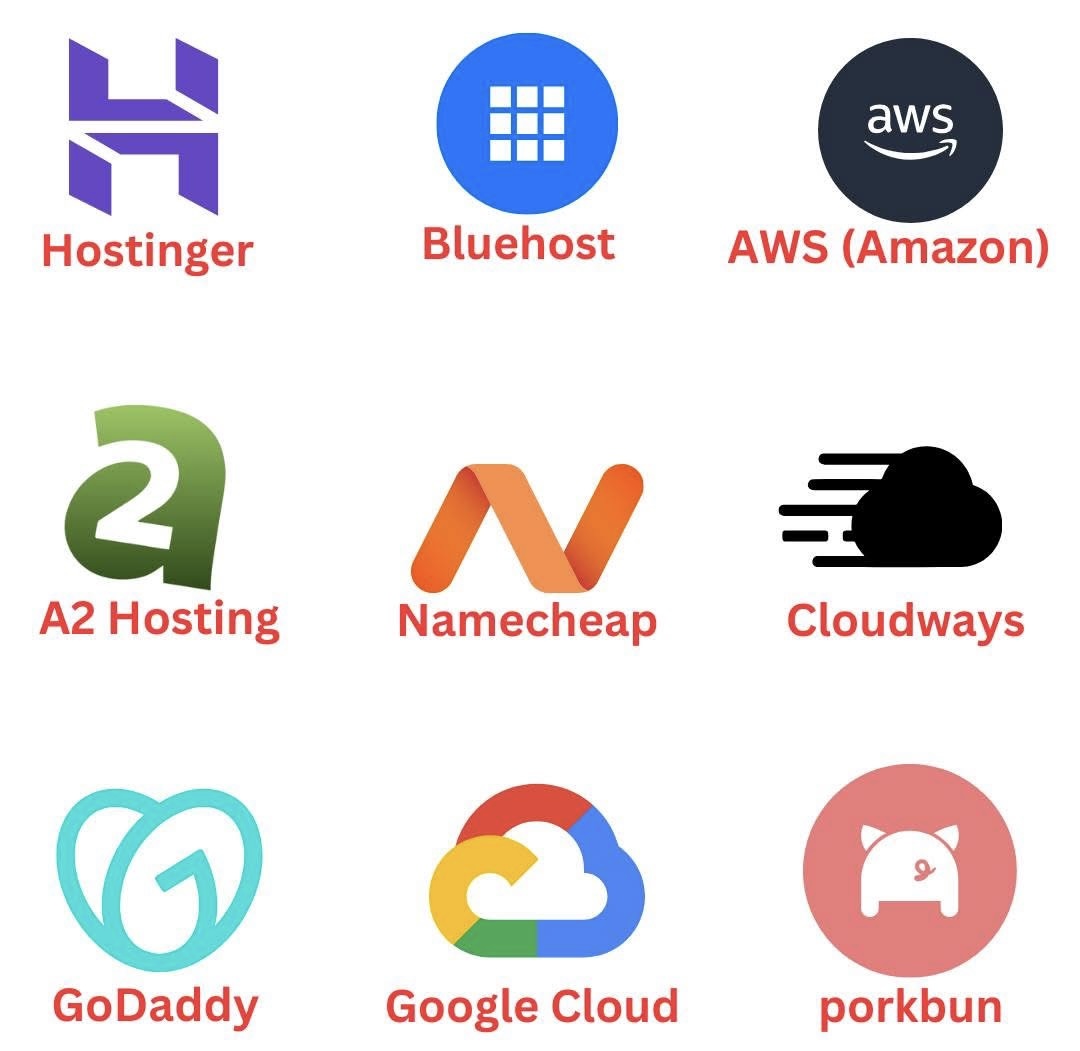
1. AWS (Amazon Web Services) — Best for Scalability & Enterprise
Why it’s great:
Industry-leading cloud hosting with global infrastructure
Unmatched scalability for high-traffic sites
Tens of services beyond basic hosting (CDN, databases, AI, etc.)
Who it’s for: Developers, large businesses, high-traffic platforms Drawbacks: Steeper learning curve & pricing can be confusing
Who it’s for: Tech-savvy creators, SaaS, startups Drawbacks: Can feel intimidating for beginners
🥉 3. Cloudways — Best Managed Cloud Hosting
Why it’s great:
Managed hosting atop AWS, Google Cloud, DigitalOcean, and more
Easy dashboard + automated backups
Great performance without deep technical skills
Who it’s for: Agencies, bloggers, business owners who want cloud performance without complexity Drawbacks: No domain registration — separate purchase needed.
⭐ 4. Hostinger — Best Budget Hosting
Why it’s great:
Very affordable plans for beginners
Free SSL + easy WordPress setup
Good speed for the price
Who it’s for: First-time bloggers, low-traffic sites Drawbacks: Limited advanced features
⭐ 5. A2 Hosting — Best for Developer Flexibility
Why it’s great:
Turbo servers with faster page loads
Support for multiple stacks (Node.js, Python, etc.)
Developer-friendly tools
Who it’s for: Developers and tech enthusiasts Drawbacks: Interface isn’t as polished for beginners
⭐ 6. Namecheap — Best Domain + Shared Hosting Combo
Why it’s great:
Extremely cheap domains
Decent shared hosting with free migration
Great value overall
Who it’s for: Small businesses and blog starters Drawbacks: Not ideal for high-traffic growth.
⭐ 7. GoDaddy — Best All-In-One for Small Business.
Why it’s great:
One dashboard for hosting, domains, email, marketing tools
Large support team with 24/7 chat/call
Who it’s for: Local businesses and non-tech users Drawbacks: Upselling can be aggressive
⭐ 8. Porkbun — Best Domain Registrar with Basic Hosting.
Why it’s great:
Very affordable domains + simple hosting
Clean interface and privacy protection included
Who it’s for: Domain hunters + simple portfolio sites Drawbacks: Not powerful enough for high performance sites.
🧠 Tips to Choose the Best Hosting for You
📌 Beginner site / blog: Look for affordable shared hosting (e.g., Hostinger, Namecheap) 📌 Growing business / performance focus: Consider managed cloud (Cloudways) or cloud giants (AWS, GCP) 📌 Developer project: Go with flexible hosts like A2 or direct APIs from AWS/GCP 📌 Domains + hosting together: Namecheap or GoDaddy are convenient
📌 Final Thoughts
Whether you’re launching your first blog or scaling a global platform, the best hosting provider in 2026 depends on your goals, technical skill level, and budget. From AWS and Google Cloud for power users to Hostinger and A2 Hosting for budget sites, this list gives you reliable options for any stage of your journey.