If you’re building modern websites today, knowing the right WordPress tools can save you hours of work, improve performance, and help you deliver professional websites faster.
Whether you’re a beginner or running a web design agency, these are the essential tools every serious WordPress developer should understand and use.
Let’s break them down by category.
⸻
Core WordPress Tools
Every WordPress developer must first master the core ecosystem to build truly professional and dynamic websites. At the foundation is WordPress itself—the world’s most popular CMS, powering over 40% of the internet. While installing themes and plugins is a start, real developers go deeper, learning tools and workflows that make site management faster, more flexible, and highly customizable.
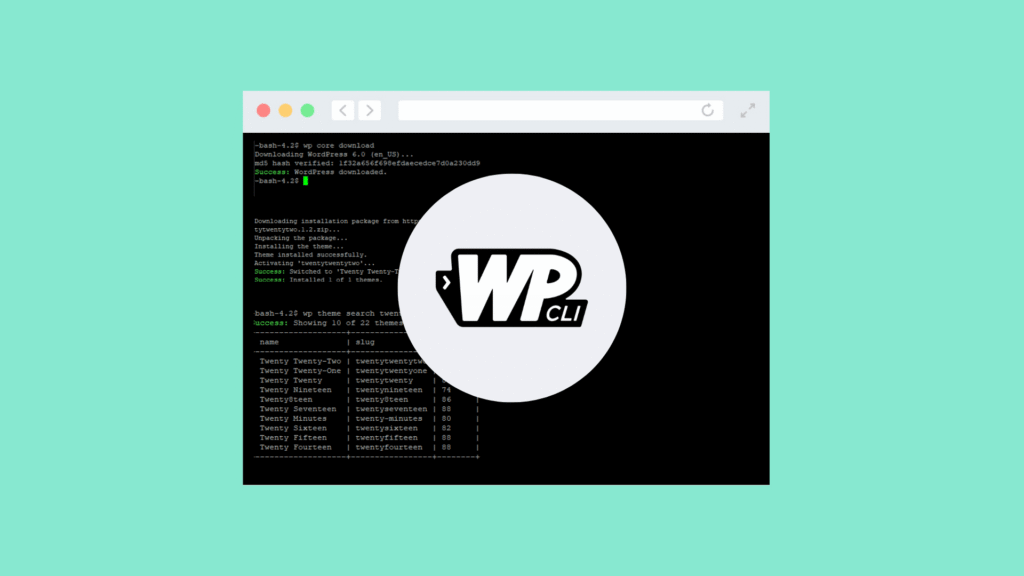
Key tools in the WordPress developer toolkit include Gutenberg, WP-CLI, and Advanced Custom Fields (ACF). Gutenberg is WordPress’s native block editor, enabling modern, flexible site building with a visual interface. WP-CLI is a command-line tool that lets developers manage WordPress installations, plugins, and settings quickly, saving time on repetitive tasks. Advanced Custom Fields (ACF) allows developers to create custom fields and dynamic content, giving full control over how content is structured and displayed. Mastering these tools helps you move beyond basic site building to becoming a skilled WordPress developer capable of creating complex, highly customized websites.
⸻
Page Builders (Speed + Flexibility)
Page builders are tools that allow you to design websites quickly without needing to write extensive code. They provide visual interfaces where you can drag and drop elements like images, text blocks, buttons, and forms, making website creation faster and more accessible. The right page builder matters because it affects your workflow, site performance, flexibility, and how easy it is to maintain or customize a site in the future.
Some of the top options for page builders include Elementor, Bricks Builder, Beaver Builder, and Oxygen. Elementor is the most popular visual builder and is especially great for client projects because it allows designers to quickly create professional-looking websites without sacrificing quality. Bricks Builder is lightweight and developer-friendly, offering fast performance and clean, efficient code that appeals to coders who want more control. Beaver Builder is known for its stability and clean code, making it a reliable choice for long-term projects and teams that value consistency. Oxygen is an advanced builder that gives full control over the site’s design and code, ideal for developers who want to build highly customized websites.
For building client sites, Elementor often stands out because it allows you to launch designs quickly while maintaining professional aesthetics. Its large library of templates, widgets, and integrations makes it easier to handle client revisions, reduce development time, and deliver a polished product without writing custom code for every element. Choosing the right page builder depends on your priorities—speed, flexibility, performance, or complete control—but understanding the strengths of each helps you make the best choice for your projects.⸻
Themes & Frameworks

A fast theme can make a significant difference in website performance, user experience, and overall flexibility. Lightweight, well-coded themes load quickly, reduce server strain, and improve SEO rankings, while also giving developers the freedom to customize designs without unnecessary bloat. Choosing the right theme ensures that your website remains responsive, easy to maintain, and compatible with page builders and plugins.
Some of the top developer-friendly themes include Astra, GeneratePress, Hello Theme, and Underscores. Astra is lightweight, highly customizable, and works well with most page builders, making it a favorite among designers and developers. GeneratePress is known for its fast performance, clean code, and modular approach, allowing developers to enable only the features they need. Hello Theme is specifically built for Elementor, providing a minimal foundation for creating visually rich websites without extra overhead. Underscores is a starter theme designed for developers who want full control over code and customization from the ground up. Astra and GeneratePress are particularly popular because they combine speed, SEO-friendliness, and flexibility, making them reliable choices for both client projects and personal websites.
⸻
E-Commerce Tools
If you’re building online stores, having the right tools is essential for smooth operation, secure payments, and a professional shopping experience. E-commerce plugins and payment processors allow you to manage products, handle transactions, and scale your store efficiently without needing custom code. Choosing reliable tools ensures your store runs fast, processes payments securely, and provides a seamless experience for customers.
Some of the top options include WooCommerce, Stripe, WooPayments, and Dokan. WooCommerce is the #1 WordPress e-commerce platform, offering robust features for managing products, inventory, shipping, and taxes. Stripe provides global payment processing, supporting multiple currencies and secure transactions, making it ideal for international stores. WooPayments is a built-in WooCommerce payment solution that simplifies transactions and integrates directly with your store. Dokan allows you to create multi-vendor marketplaces, enabling multiple sellers to manage their own products and sales. Among these, WooCommerce paired with Stripe is the most common combination for professional online stores worldwide, offering reliability, flexibility, and a seamless shopping experience for both store owners and customers.
⸻
Performance & Speed Optimization

Website speed directly impacts SEO, user experience, and conversion rates, making performance optimization a critical task for every developer. Faster websites rank better on search engines, reduce bounce rates, and keep visitors engaged, while slow-loading sites can frustrate users and harm business results. Optimizing performance involves caching, content delivery, image compression, and server-level enhancements.
Some of the top tools for improving website speed include WP Rocket, LiteSpeed, Cloudflare, and NitroPack. WP Rocket is a premium caching plugin that simplifies optimization and includes features like page caching, lazy loading, and database cleanup. LiteSpeed provides powerful server-level caching, improving response times for high-traffic sites. Cloudflare is a content delivery network (CDN) that also offers security and performance improvements by distributing content globally. NitroPack is an all-in-one tool that handles caching, image optimization, and other speed enhancements automatically. Combining Cloudflare with a caching plugin like WP Rocket or LiteSpeed can drastically improve loading speeds, ensuring your website performs well for both users and search engines.
⸻
SEO & Optimization Tools
A beautiful website is worthless if it can’t be found by users, which is why SEO is essential for every developer. Search engine optimization improves visibility, drives organic traffic, and ensures your content reaches the right audience. Effective SEO involves optimizing page structure, keywords, metadata, and performance while tracking results to continuously improve rankings.
Some must-have SEO tools include Yoast SEO, Rank Math, AIOSEO, and Google Search Console. Yoast SEO is beginner-friendly, making it easy to optimize pages and posts with clear guidance. Rank Math is a powerful, feature-rich plugin that offers advanced automation, keyword tracking, and SEO insights, making it increasingly popular among developers. AIOSEO is another solid alternative with robust tools for on-page and technical SEO. Google Search Console helps monitor search performance, identify issues, and track rankings over time. Among these, Rank Math is quickly becoming a favorite because it combines advanced functionality with ease of use, helping developers optimize sites efficiently.
⸻
Security Tools
Security is not optional—just one hacked website can destroy client trust and harm your reputation as a developer. Protecting a site involves safeguarding against malware, brute-force attacks, unauthorized logins, and other vulnerabilities. Implementing robust security measures ensures that client data, content, and functionality remain safe while maintaining user confidence.
Some of the top WordPress security tools include Wordfence, Sucuri, iThemes Security, and WP Cerber. Wordfence offers a powerful firewall and malware scanning to detect and block threats. Sucuri provides comprehensive website security, monitoring, and malware cleanup services. iThemes Security focuses on login and admin protection, preventing unauthorized access. WP Cerber adds advanced login security and threat detection for high-risk sites. Every client site should have at least one security plugin installed, ensuring strong protection against attacks and maintaining the integrity of the website.
⸻
Final Thoughts
A great WordPress developer is not just someone who installs themes and plugins.
It’s someone who understands:
• Speed optimization
• SEO structure
• Security
• Scalable design tools
Mastering these tools will help you build faster, safer, and more professional websites — whether you’re freelancing, running an agency, or building your own online business.
Focus on tools that save time, improve performance, and scale with your projects.
That’s what separates average developers from professionals.
Leave a Reply