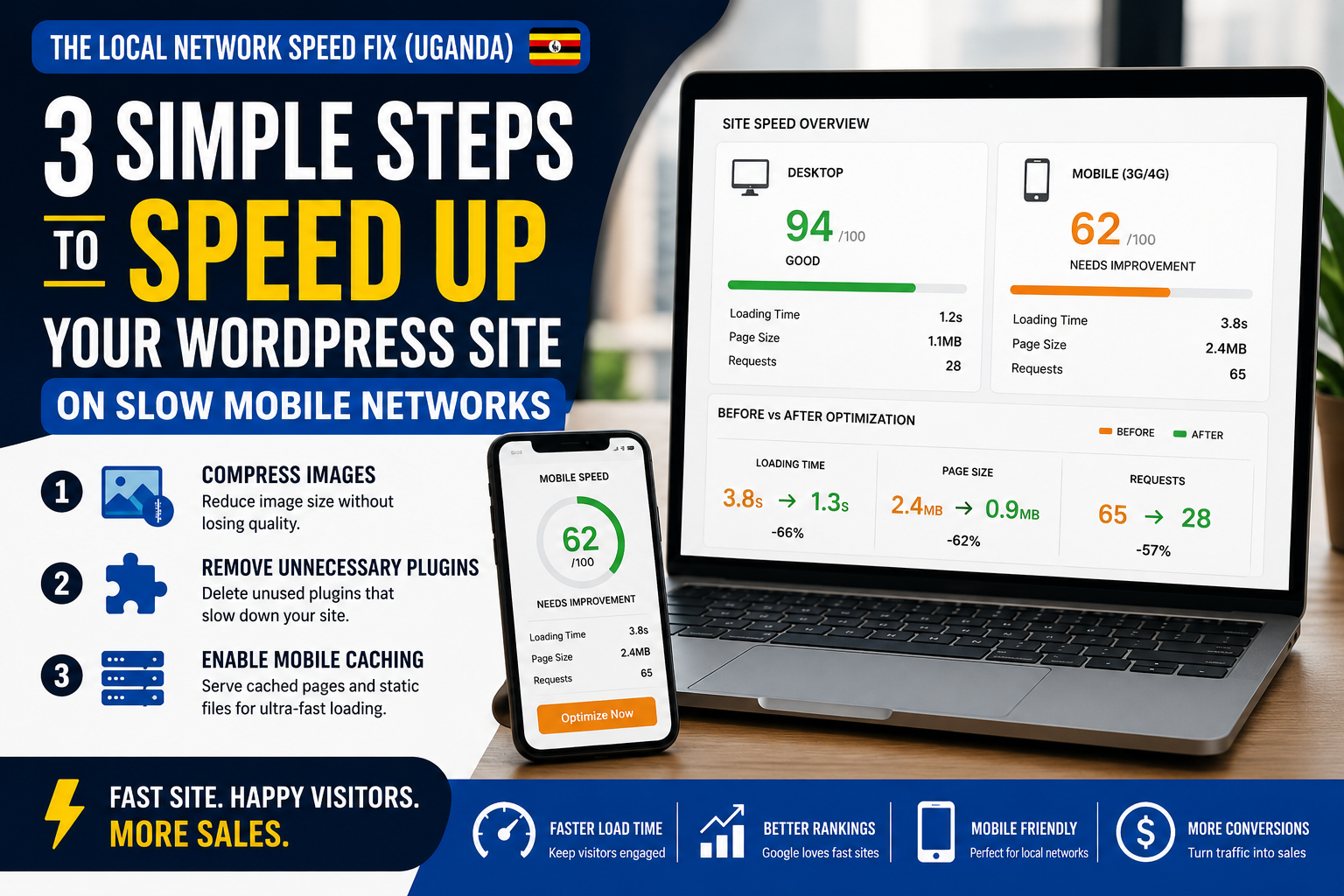
3 Simple Steps to Speed Up Your WordPress Site on Slow Mobile Networks
3 Simple Steps to Speed Up Your WordPress Site on Slow Mobile Networks can dramatically improve your website’s performance, especially for visitors browsing on cellular data connections across Uganda and East Africa.
Ready to cut your website loading time in half so slow Ugandan internet speeds stop killing your sales?
Many business owners invest heavily in social media advertising, SEO, and content marketing, only to lose potential customers because their website takes too long to load. When a visitor clicks your link and waits several seconds for a page to appear, there’s a good chance they’ll leave and visit a competitor instead.
This challenge is especially common in Uganda, where a large percentage of internet users browse websites using mobile data bundles on 3G and 4G networks. Every unnecessary second of loading time increases bounce rates and reduces conversions.
The good news is that you don’t need expensive infrastructure upgrades to improve performance. A few strategic adjustments can make a noticeable difference.
In this guide, you’ll learn a simple three-step optimization routine that can help your WordPress website load faster, improve user experience, and increase sales.
Table of Contents
- Why Website Speed Matters
- Test Your Current Mobile Speed
- Step 1: Compress Heavy Images
- Step 2: Remove Unnecessary Plugins
- Step 3: Enable Mobile Caching
- Common WordPress Speed Mistakes
- Additional Optimization Tips
- Frequently Asked Questions
- Conclusion
Why Website Speed Matters More in Uganda
Many website owners test their websites using high-speed office internet and assume everything is working perfectly.
However, most visitors experience your website differently.
Across Uganda and much of East Africa, users commonly browse using:
- MTN data bundles
- Airtel mobile internet
- Shared Wi-Fi connections
- Public hotspot networks
These connections are often slower and less stable than business-grade broadband.
Studies consistently show that users begin abandoning websites when pages take more than three seconds to load.
Slow websites create several problems:
- Lower search engine rankings
- Higher bounce rates
- Reduced customer trust
- Lower conversion rates
- Lost revenue
A fast website, on the other hand, creates a smoother customer experience and encourages visitors to stay longer.
Test Your Current Mobile Speed
Before making changes, establish a baseline.
Use tools such as:
Google PageSpeed Insights
This tool evaluates both desktop and mobile performance and identifies speed issues.
GTmetrix
GTmetrix provides detailed performance reports and optimization recommendations.
Pingdom Website Speed Test
Useful for measuring loading times and identifying bottlenecks.
Pay particular attention to:
- Mobile performance score
- Largest Contentful Paint (LCP)
- Total page size
- Number of requests
- Time to Interactive
These metrics reveal where improvements are needed.
Step 1: Compress Heavy Images
Images are often the biggest reason WordPress websites load slowly.
Many business owners upload photos directly from their smartphones or cameras without optimization.
A single image can easily exceed 5MB.
When multiple large images appear on a page, loading times increase dramatically.
Why Image Compression Matters
Visitors on limited data plans must download every image before viewing your content.
Large images consume:
- More bandwidth
- More server resources
- More loading time
This creates frustration for users and increases bounce rates.
Best Practices for Image Optimization
Resize Before Uploading
If your website displays images at 1200 pixels wide, avoid uploading 6000-pixel originals.
Use Modern Formats
WebP images are significantly smaller than traditional JPEG and PNG files.
Compress Images Automatically
Popular WordPress plugins include:
- Smush
- ShortPixel
- Imagify
These tools automatically reduce image sizes without noticeably affecting quality.
Expected Results
Many websites reduce page size by 50% or more simply through proper image optimization.
Step 2: Remove Unnecessary Plugins
WordPress plugins add functionality, but too many plugins can severely impact performance.
Over time, many websites accumulate plugins that are no longer needed.
Some business websites have 30, 40, or even 50 active plugins running simultaneously.
How Plugins Slow Down Websites
Each plugin may:
- Load additional scripts
- Generate database queries
- Create external requests
- Increase server processing time
The result is slower page rendering.
Conduct a Plugin Audit
Review every installed plugin and ask:
- Is it still necessary?
- Is it actively being used?
- Does another plugin already provide similar functionality?
Remove anything that no longer serves a clear purpose.
Replace Heavy Plugins
Some plugins are known for poor performance.
Whenever possible:
- Use lightweight alternatives
- Avoid duplicate functionality
- Keep plugins updated
A leaner WordPress installation almost always performs better.
Step 3: Enable Mobile Caching
Caching is one of the fastest ways to improve WordPress performance.
When caching is enabled, your website serves pre-generated versions of pages instead of rebuilding them every time a visitor arrives.
What Is Mobile Caching?
Without caching:
- Browser requests page
- Server processes database
- WordPress generates content
- Page loads
With caching:
- Browser requests page
- Cached version is delivered immediately
This reduces server workload and speeds up loading times.
Recommended Caching Plugins
Popular solutions include:
- LiteSpeed Cache
- WP Rocket
- W3 Total Cache
These plugins can significantly reduce loading times when configured correctly.
Mobile-Specific Benefits
Caching is particularly useful for:
- Mobile visitors
- Slow network connections
- High-traffic websites
- E-commerce stores
Pages load faster and consume less bandwidth.
Common WordPress Speed Mistakes
Uploading Full-Resolution Images
Large image files remain one of the most common performance issues.
Installing Too Many Plugins
More plugins often mean more processing overhead.
Ignoring Mobile Testing
Desktop performance does not guarantee mobile performance.
Poor Hosting
Even a well-optimized website can struggle on low-quality hosting.
Not Using Caching
Failing to implement caching leaves performance gains on the table.
Additional Optimization Tips
If you want even better results, consider these advanced improvements.
Use a Content Delivery Network (CDN)
A CDN distributes content across multiple servers for faster delivery.
Minify CSS and JavaScript
Removing unnecessary code reduces file sizes.
Optimize Your Database
Regular database maintenance improves efficiency.
Choose Lightweight Themes
Avoid bloated themes loaded with unnecessary features.
Enable Lazy Loading
Images load only when users scroll to them.
This reduces initial page load times significantly.
Real-World Example
Imagine an online fashion store in Kampala.
The owner notices visitors arriving from Facebook ads but leaving quickly.
After running a speed test, they discover:
- Large product images
- Excessive plugins
- No caching
After implementing the three fixes discussed above:
- Mobile load time drops from 8 seconds to 2.5 seconds
- Bounce rates decrease
- Product views increase
- Sales improve
The website becomes usable even on slower mobile connections.
FAQ
How fast should a WordPress website load?
Ideally, your website should load in under three seconds, with two seconds or less being the preferred target.
Why is my WordPress website slow on mobile?
Common causes include large images, excessive plugins, poor hosting, and missing caching configurations.
Does website speed affect SEO?
Yes. Search engines consider page speed when evaluating user experience and rankings.
Which plugin is best for WordPress caching?
Popular options include WP Rocket, LiteSpeed Cache, and W3 Total Cache.
Can image compression reduce loading times?
Absolutely. Image optimization is often the quickest and most effective way to improve performance.
Is mobile speed important for Ugandan businesses?
Yes. Since many users browse through mobile data networks, mobile optimization is essential for retaining visitors and increasing conversions.
Conclusion
3 Simple Steps to Speed Up Your WordPress Site on Slow Mobile Networks can dramatically improve user experience, reduce bounce rates, and help your website perform better across Uganda and East Africa. By compressing heavy images, removing unnecessary plugins, and enabling mobile caching, you can create a faster website that remains accessible even on unstable 3G and 4G connections.
A fast website doesn’t just improve performance metrics—it protects your marketing investment, strengthens customer trust, and helps convert more visitors into paying customers.
For businesses seeking professional optimization and performance audits, review speed metrics with EliteTeQ POS Tour & Web Developers and work toward achieving consistent load times under two seconds.
Leave a Reply